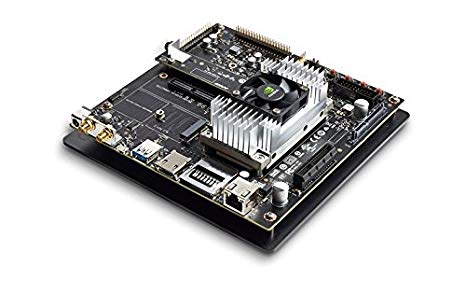
Background Knowledge:
The Jetson TX2 is a Nvidia embedded computer, which is an arm cortex CPU and a nvidia graphics card. This is the 3rd of the Jetson family with the newest addition being the Jetson Xavier. I had experience working with all previous Jetsons as well, and as with all things Nvidia + linux the task was not easy.
Quick Run:
The main issue I had was the outdated OpenCV for Tegra, several computer vision techniques have been added in later OpenCV versions which just cannot show up in the OpenCV for Tegra. On top of this the OpenCV for Tegra is not as much of a speed up as is claimed by Nvidia, it is not worth the deprecated functions. Other flaws in the Nvidia Jetson is a very hard time changing the operating system, it is much harder than it should be.
Carrier boards for the Jetsons tend to have flaws such as only being able to use SATA or USB3.0. You have to play reverse engineer in order to be able to flash from none Ubuntu systems, when there is nothing in the flash software that really limits you to Ubuntu. On top of this there are quite a few bugs in OpenCV for Tegra and the flashing software. The CPU cannot be set into a permanent on mode so you require to set up a systemd command to turn the CPU on full power.
To prevent reflashing I created the following scripts in order to reflash the Jetson, this is for a more production ready product where all your code is finished and you just want to put the code on 1 time and go on.
#!/bin/bash

FLASH_HOME="flash home directory goes here"

sudo ln -s $1 $FLASH_HOME/bootloader/system.img
cd $FLASH_HOME
sudo ./flash.sh -r -k APP jetson-tx2 mmcblk0p1
I did not use a copy as the file is like 30 GBs, which takes a while to copy over. Remember to give yourself permission to use USB groups.
Most Important Tidbits:
- Jetson is very buggy, and very easy to accidently fry