Background Knowledge:
Build systems are essential for a programmer to know, without it you will never be able to compile large scale programs. It is vital to know both the compiler you are using as well as the build system, as the program you make will be limited by both. Unfortunately there have not been many good tutorials on Makefiles, for that reason majority of this post will be on Makefiles. I will touch on different more modern build systems later on in the post.
Quick Run:
The most important thing in picking your build system is the programming language you are using. Some build systems do not work well with certain programming languages. Luckily for us Makefiles work well with every single programming language.
Makefiles:
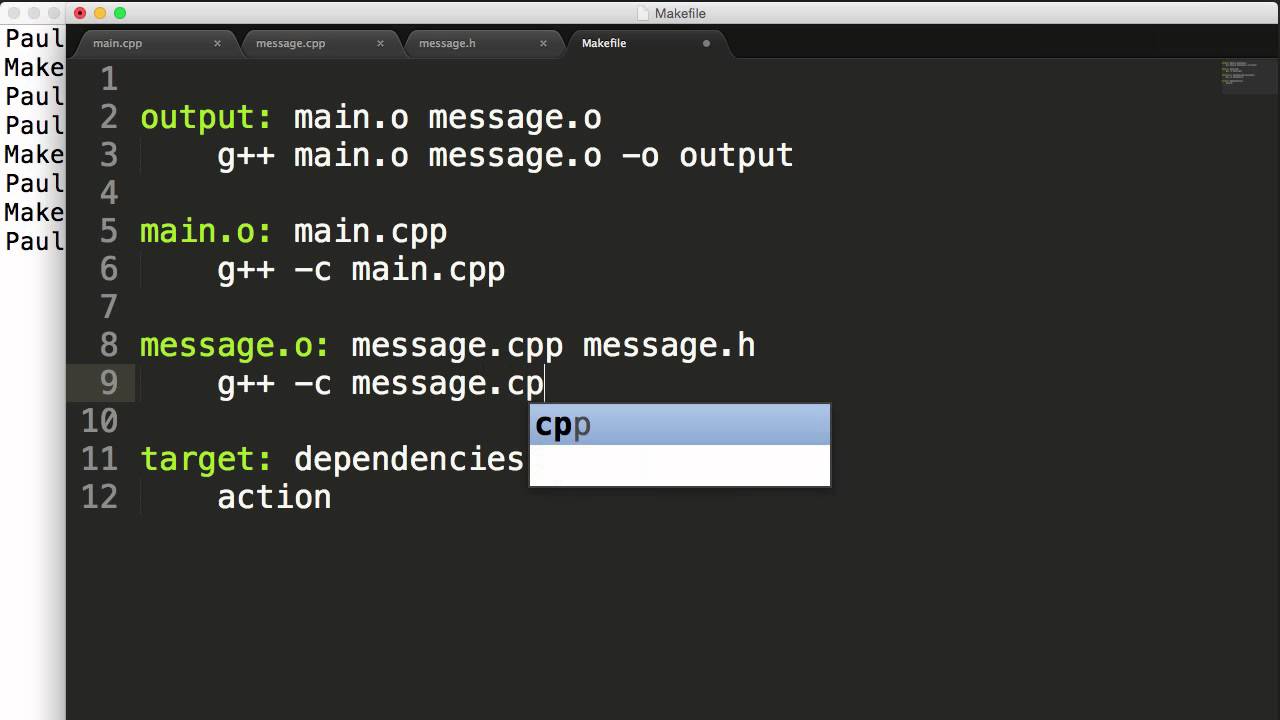
If you look inside Makefiles you will see quite a lot of different styles. Some like the example above will manually add all the files as rules, this should be avoided as much as possible, due to the ever growing complexity in software projects. Manually adding hundreds to possibly thousands of new files is simply infeasible. The correct way to add files is a wildcarding fashion. Below is some code demonstrating how to use wildcards, this finds all asm, C, and C++ files in a source directory, and transforms them into object files.
SRC := $(wildcard $(SRC_DIR)/*.[S|c|cpp])

OBJ := $(SRC:src/%=$(BUILD_DIR)/%.o)
Now this above code handles wildcarding, it still does not handle rule generation, there are many ways to do this rule generation. I personally prefer wildcard matching the rules as well as is shown below:
all: $(DIR) $(OBJ)
	echo "Linking $(NAME) version $(VERSION)"
	$(LD) -L link -T link.ld $(OBJ) $(COMP_OBJ) $(LDFLAGS) -o bin/$(NAME)
	$(OBJ_COPY) -O binary bin/$(NAME) bin/$(NAME).bin
	echo "Made $(NAME) version: $(VERSION)"

flash: all
	$(FLASH) --reset write bin/$(NAME).bin $(CHIP_FLASH)

flash_debug: all
	$(FLASH) --reset write bin/$(NAME) $(CHIP_FLASH)

clean:
	rm -rf $(DIR)
	echo "Made clean"

%/:
	mkdir -p $@

$(BUILD_DIR)/$(CHIP)/%.S.o: src/$(CHIP)/%.S
	echo "[ASM] assembling $?"
	$(ASM) $(ASMFLAGS) -Wno-unused $? -o $@

$(BUILD_DIR)/$(CHIP)/%.c.o: src/$(CHIP)/%.c
	echo "[CC] compiling $?"
	$(CC) $(CFLAGS) -Wno-unused $? -o $@

$(BUILD_DIR)/$(CHIP)/%.cpp.o: src/$(CHIP)/%.cpp
	echo "[CXX] compiling $?"
	$(CXX) $(CXXFLAGS) -Wno-unused $? -o $@

$(BUILD_DIR)/tm_lib/%.S.o: src/tm_lib/%.S
	echo "[ASM] assembling $?"
	$(ASM) $(ASMFLAGS) -Wno-all -Wno-extra $? -o $@

$(BUILD_DIR)/tm_lib/%.c.o: src/tm_lib/%.c
	echo "[CC] compiling $?"
	$(CC) $(CFLAGS) -Wno-all -Wno-extra $? -o $@

$(BUILD_DIR)/tm_lib/%.cpp.o: src/tm_lib/%.cpp
	echo "[CXX] compiling $?"
	$(CXX) $(CXXFLAGS) -Wno-all -Wno-extra $? -o $@

$(BUILD_DIR)/%.S.o: src/%.S
	echo "[ASM] assembling $?"
	$(ASM) $(ASMFLAGS) $? -o $@

$(BUILD_DIR)/%.c.o: src/%.c
	echo "[CC] compiling $?"
	$(CC) $(CFLAGS) $? -o $@

$(BUILD_DIR)/%.cpp.o: src/%.cpp
	echo "[CXX] compiling $?"
	$(CXX) $(CXXFLAGS) $? -o $@
The above are some rules made for an STM32 project, I was not compiling based on header changes but in certain cases you have to. In order to do this you can add this behind the src/%.[S|c|cpp] and change the $@ to a $< which only takes the first argument from the dependant files.
Now if you are a linux kernel developer, they refrain from using these variables due to them being slow. However most projects are not big enough to use a Kconfig system, so I will refrain from explaining how to make these type of makefiles, or how to generate makefiles using autogen. There are plenty of great tutorials on these systems instead, due to the ease of use associated with them.
CMake:
Is another make system typically used for C/C++ projects. While it is easier to code up, the CMake systems sometimes cause errors in compilation. A major one I found was PCL, this is a prime example of CMake generating makefiles which break compilation time and time again. Compiling PCL was so bad that I even had to write a script to compile until it succeeded. Luckily for me once we compiled it the first time we could just flash Jetsons with the compiled code and no longer have to worry about it. However CMake and other Makefile generating scripts typically do not have error handling which a seasoned Makefile programmer can import in.
QMake:
This is similar to CMake, with a few Makefile additions. It has the extensibility found in Makefiles, with the benefits of being simple enough to code as CMake. The primary downside is it defaults to using QT libraries which if you want to use it to flash an STM32 is not always the best choice.
Gradle:
This is a good build system with tons of documentation and examples, I feel it is without a doubt one of the best build systems for JVM style projects. Unfortunately it has a lot of downsides as well, mostly in the pattern matching regard.
Waf:
I have only used this a few times when working with NDN. I have never found a build system that is as bad as Waf, maybe now it changed however I would never use this from the experience that I had with it.
Most Important Tidbits:
- Makefiles are simple once you understand them
- KConfig is a nicer system than ccmake
- NIX/GUIX has a very interesting build system, but requires a lot of previous experience
- STAY AWAY FROM PYTHON BASED BUILD SYSTEMS THEY ARE NOT PORTABLE AS THEY CLAIM